With so many video codecs and containers, it’s easy to get confused. Here’s a simple explanation.
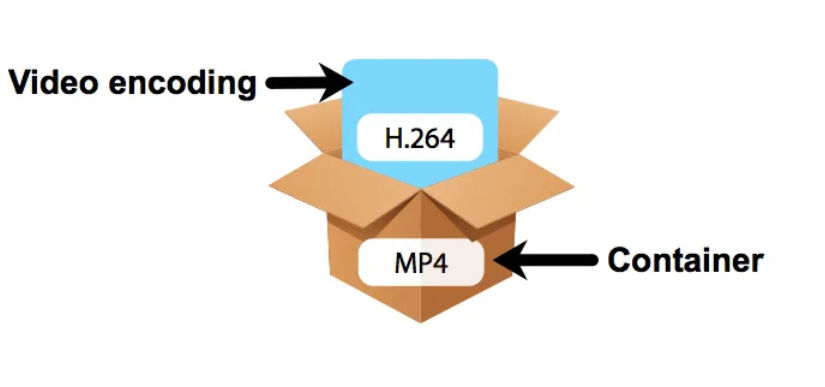
Codec (Video Format)
Codec stands for coder-decoder. Video codecs are algorithms for encoding and decoding video data.
An encoder compresses video streams, which reduces the amount of data for storage and transmission.
A decoder reverses the conversion for playing or editing a video stream.
For simplicity, you can think of a video codec as the video format.
Examples of video codecs are H.261, H.263, VC-1, MPEG-1, MPEG-2, MPEG-4, AVS1, AVS2, AVS3, VP8, VP9, AV1, AVC/H.264, HEVC/H.265, VVC/H.266, EVC, LCEVC
Currently, the most popular codec is AVC/H.264.
Container (File Format)
With respect to video, a container is a data storage. It can include compressed video and audio sequences, subtitles, service information and metadata. It is a package or bundle.
For simplicity, you can think of a media container as the file format.
Examples of media containers are MPEG-1 System Stream, MPEG-2 Program Stream, MPEG-2 Transport Stream, MP4, MOV, MKV, WebM, AVI, FLV, IVF, MXF, HEIC
There are many ways and tools you can enhance a photo. If you’re a professional photographer, then you’ll likely have advanced methods, but for the average person, you’ll probably just want some quick and easy solutions. Like most average people, my photos are mostly taken from my phone (currently, Google Pixel 8). However, when vacationing, I also take a lot of video using my Insta360 X3 camera, and I’ll occasionally want to take snapshots of a video frame to add to my photo collection. With this in mind, here’s my current (simple) workflow for upscaling and enhancing photos.
Enhance a Photo Using Google Photos
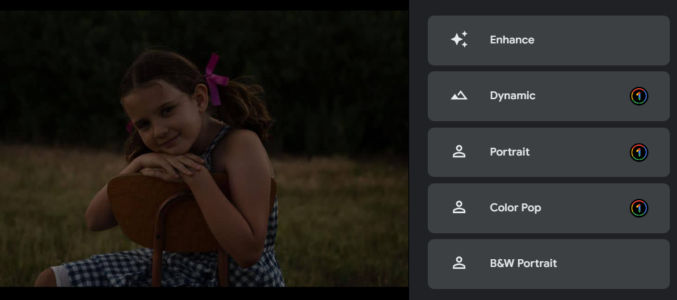
First, upload your photo to Google Photos. Then, use one of the presets to enhance the photo. Here’s an example photo without any enhancements applied.
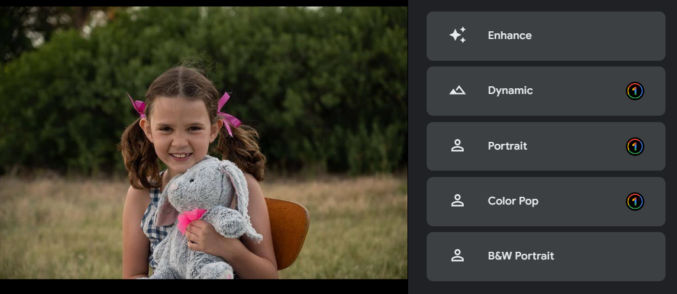
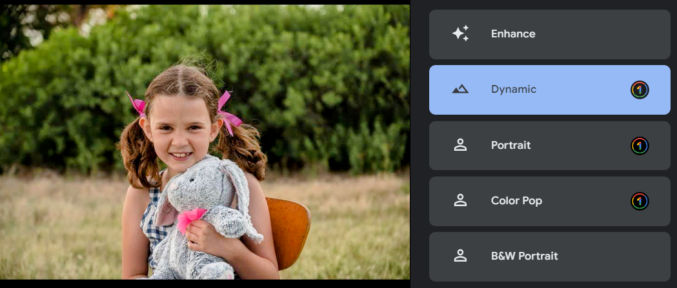
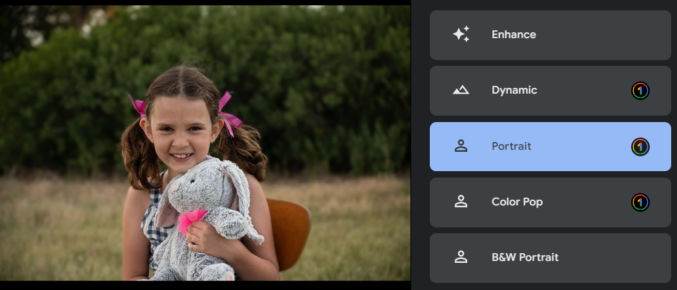
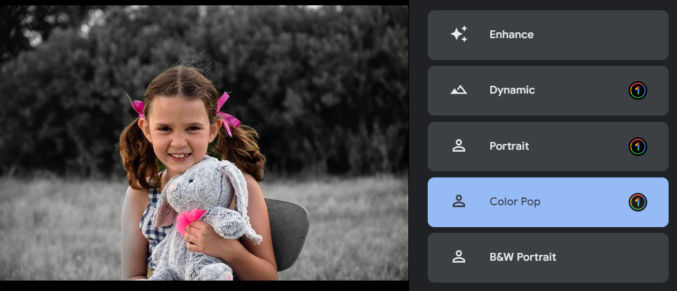
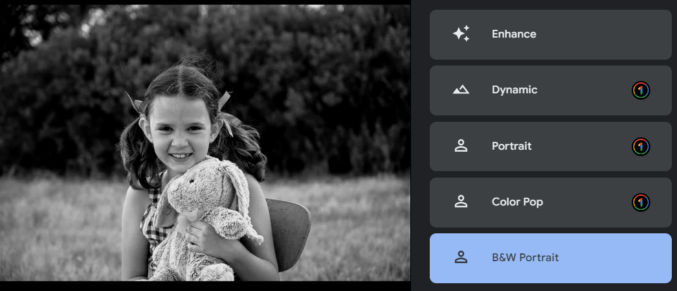
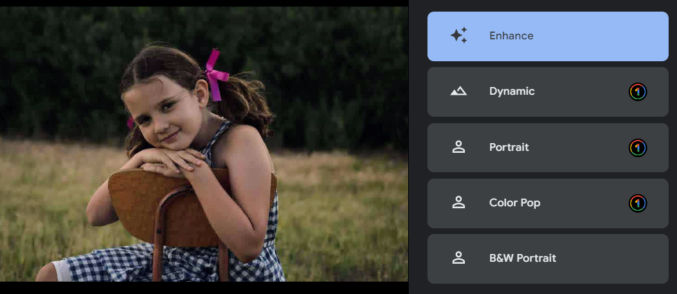
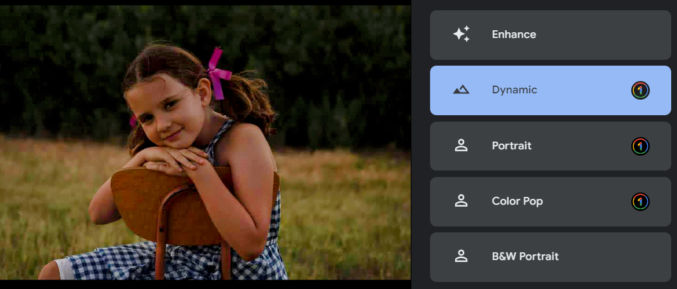
The average person might that the photo looks fine, but it can significantly be improved. Here’s how the photo looks when you click on each of the suggested improvement options.
EnhanceDynamicPortraitColor Pop
Note that Color Pop tried to isolate the subject and convert everything else to grayscale. It’s not perfect because the subject’s right arm is partially gray. To fix this, you could select the subject in Photoshop either manually or automatically, invert the selection, and convert the selection to grayscale.
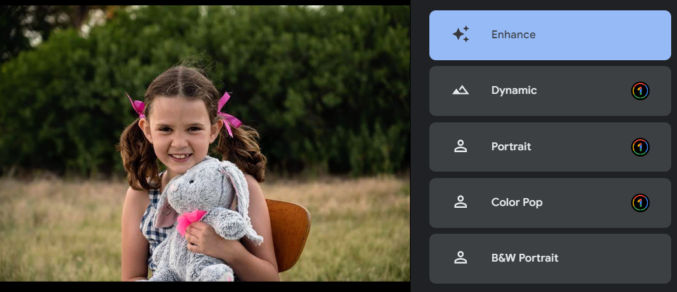
If you click the “Enhance” or “Dynamic” options, you’ll get this.
EnhanceDynamic
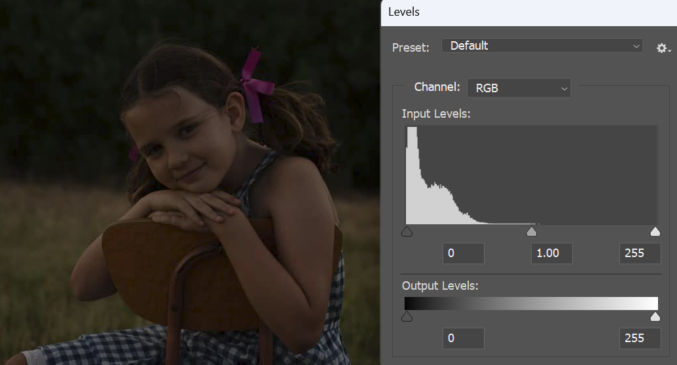
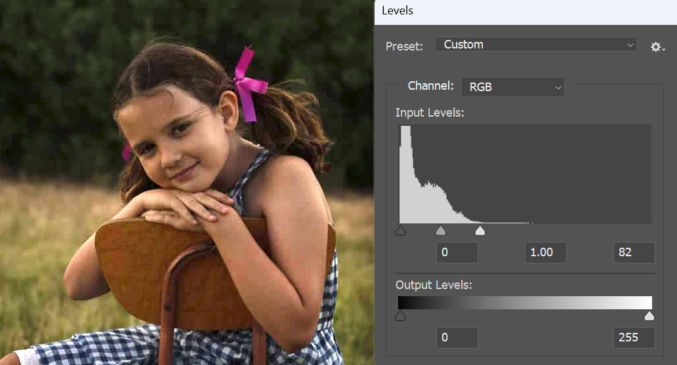
For comparison, here are the photo’s input levels in Photoshop.
If I were to manually correct the exposure in Photoshop, this is what I’d get.
The photo is significantly improved, but it doesn’t look exactly like it does using the Google Photos presets.
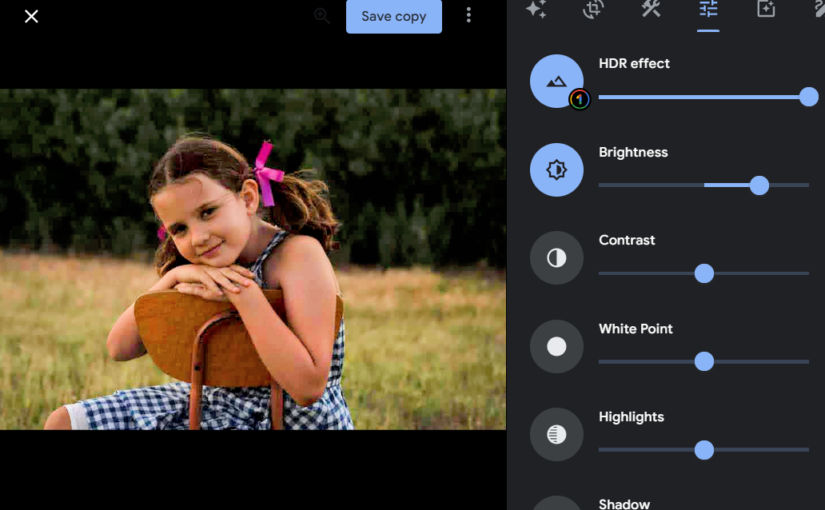
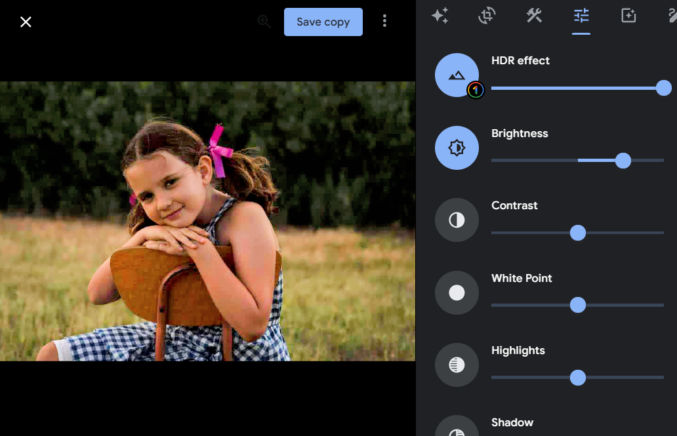
If the Google Photos presets don’t look good enough, you can make many adjustments in the Settings tab. In the example below, I started by choosing the “Dynamic” preset, and then in the Settings tab, I increased the brightness.
So, for the average person, using Google Photos to improve photos is easy and usually adequate.
Enhance a Photo Using Topaz Photo AI
Topaz Photo AI can do many things to a photo, including
remove noise
sharpen
adjust lighting
balance color
recover faces
preserve text
upscale
You can also just run autopilot and let Topaz choose settings for you.
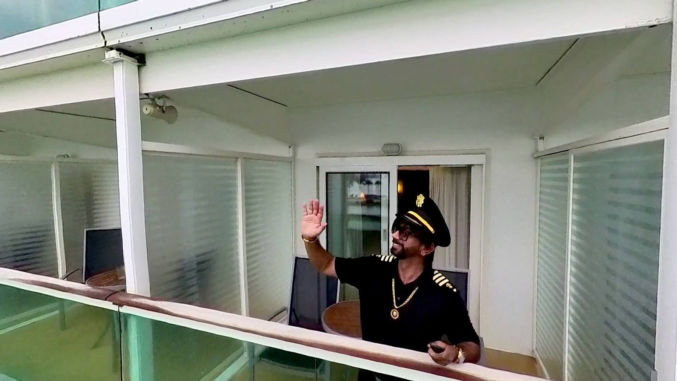
For me, I mainly use Topaz to enlarge (upscale) photos, remove noise, which can result from adjusting the levels of a heavily underexposed photo, and to sharpen photos. These improvements are particularly useful when I take a snapshot of a 1920×1080 video frame. For example, here’s a frame from a video.
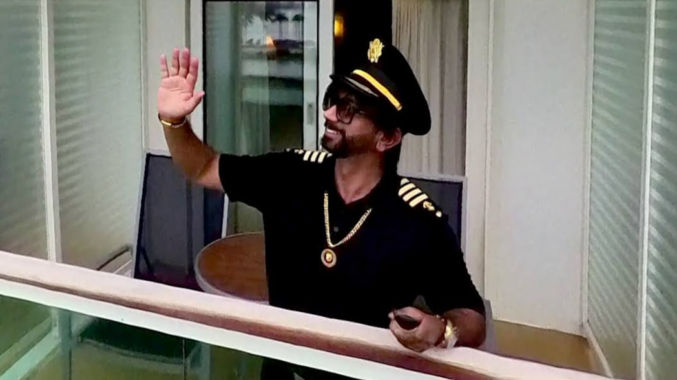
I want to zoom in on the subject, crop it, enlarge it, and enhance it. Here’s the zoomed-in part cropped. The dimensions are 1048 x 589 px.
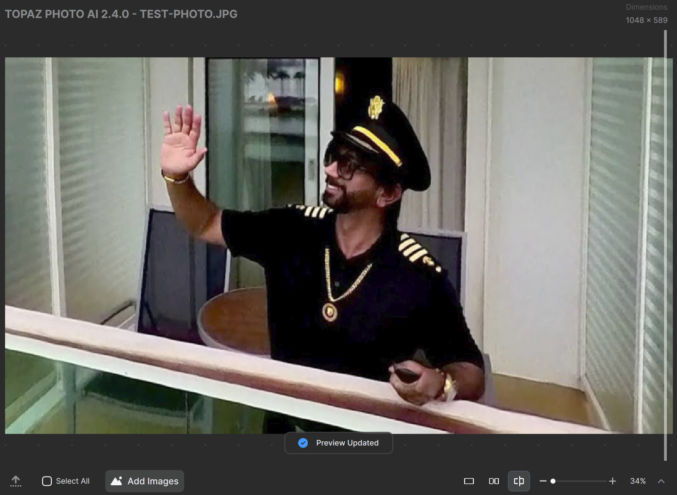
Now, I’ll drag it into Topaz and run autopilot to upscale and enhance the photo. It will take a minute to process. Here’s how the photo looks enlarged by 34% before enhancing it with Topaz.
Before Topaz
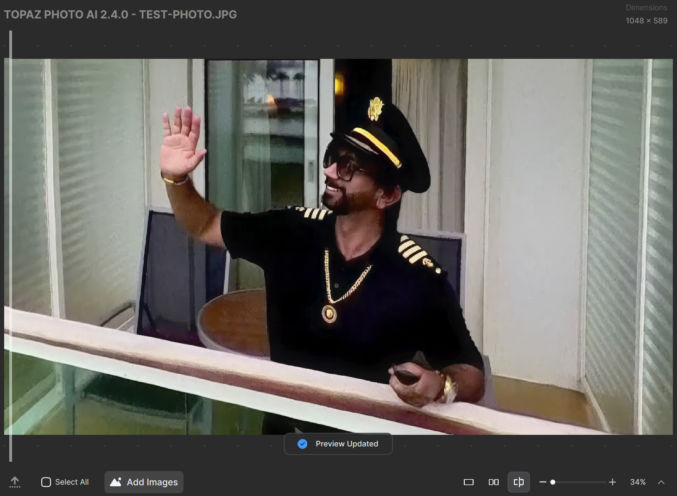
Here’s how it looks with Topaz enhancements applied.
After Topaz
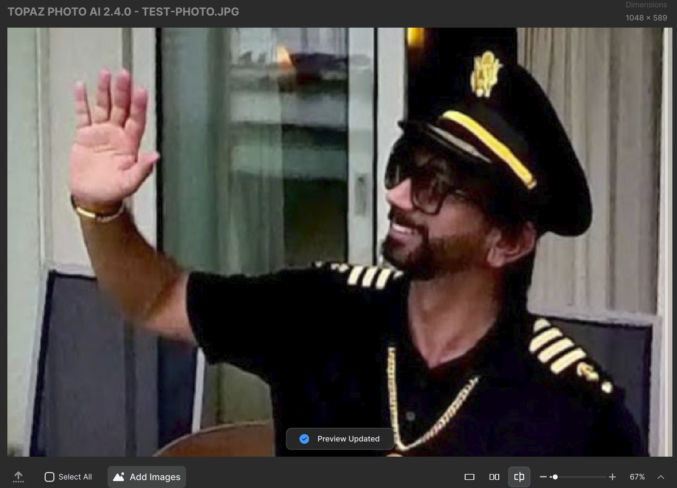
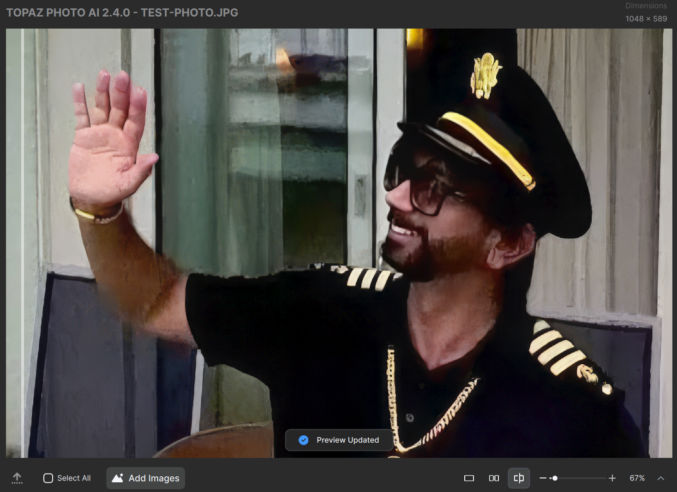
There is a difference, but it will be more obvious when you zoom in. Below is a comparison zoomed in at 67% before and after using Topaz.
Before TopazAfter Topaz
At this point, you can copy the upscaled and sharpened photo from Topaz and paste it into Google Photos to enhance it.
Topaz Photo AI isn’t perfect, but depending on the original photo, it can often product amazing results.
Whether you’re planning to fast before a medical operation or otherwise, or don’t plan to have access to much food for a long period, I’ve found the following food incredibly effective at staving off hunger. Ramadan fasters, take note! The following foods have a low glycemic index and are digested slowly.
Warning: consuming some of these foods may cause bloating and flatulence, but if you consume it every day, those symptoms will go away within a week.
Kirkland Signature Organic Ancient Grain Granola
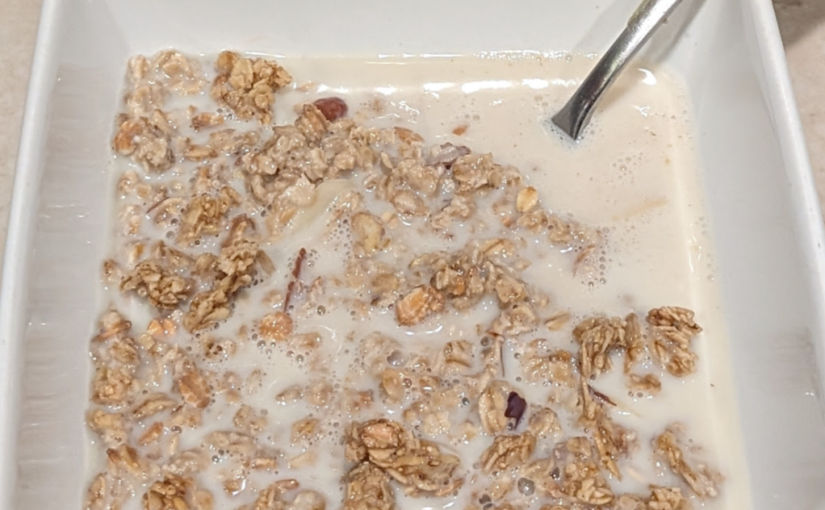
Available at Costco, this granola is high in fiber, healthy and delicious. The downside is it has 8 grams of added sugar. Costco should make a version replacing sugar with the all-natural, zero-calorie Monk fruit. I prefer to consume a bowl of this with unsweetened almond or soy milk and optionally some berries. Learn more.
MUSH Overnight Oats
Also available at Costco, these prepackaged overnight oats are convenient and healthy. There’s no added sugar, but they’re still sweet. Learn more.
Greek yogurt (optional)
Greek yogurt is very thick compared with regular yogurt and typically higher in protein, too. This particular one is sweetened with all-natural stevia extract, which is better than cane sugar and artificial sweeteners like sucralose. I consider this to be optional.
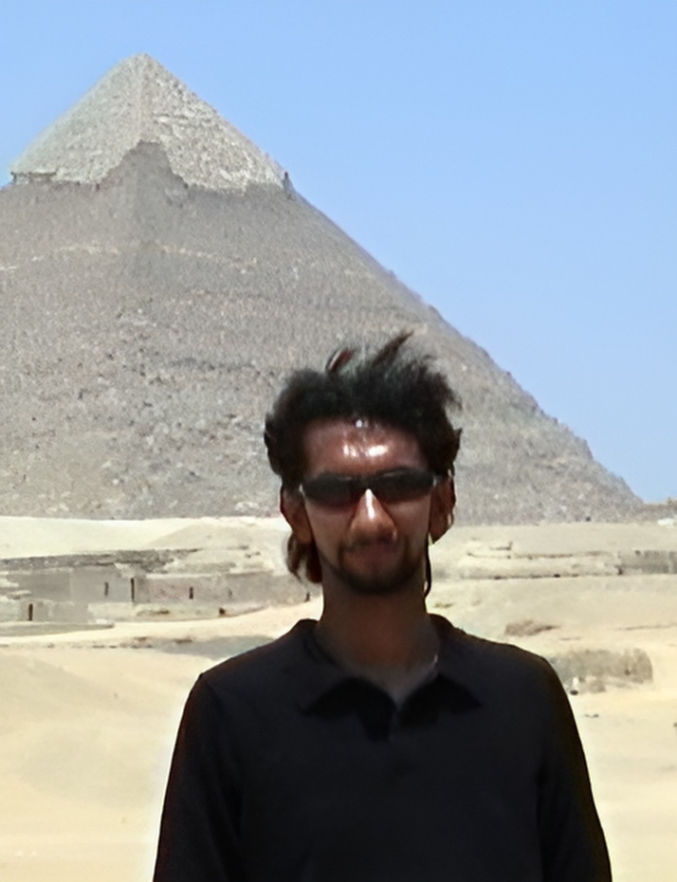
If you have old, low-res photos that you want to enhance and upscale or if you want to zoom in on a hi-res photo while preserving quality, you’ll be impressed with what artificial intelligence (AI) can do. Compare the following.
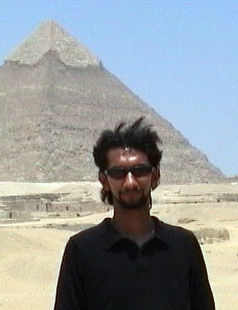
Original Photo
This photo was taken in Cairo, Egypt back in 1997. The original photo was 640 by 480 pixels. I’ve cropped it to focus on the subject. It’s now 238 px wide.
Photoshop
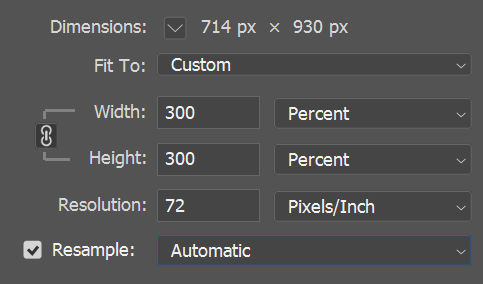
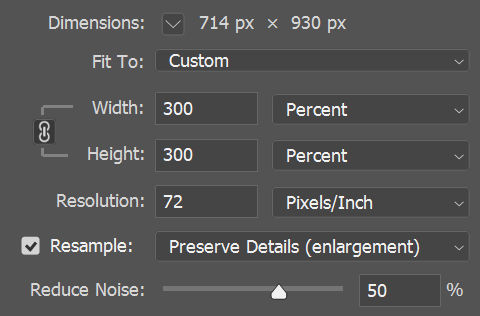
In Photoshop, you can increase the dimensions of an image. I’m going to enlarge it by 300% to 714 px wide.
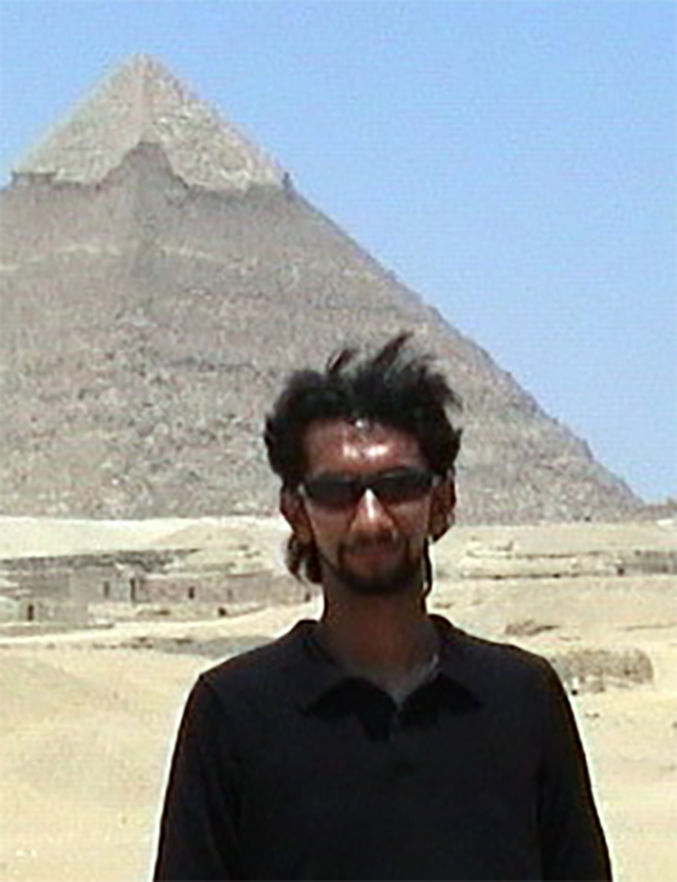
Here are the results using the “Automatic” resampling option. Notice the graininess.
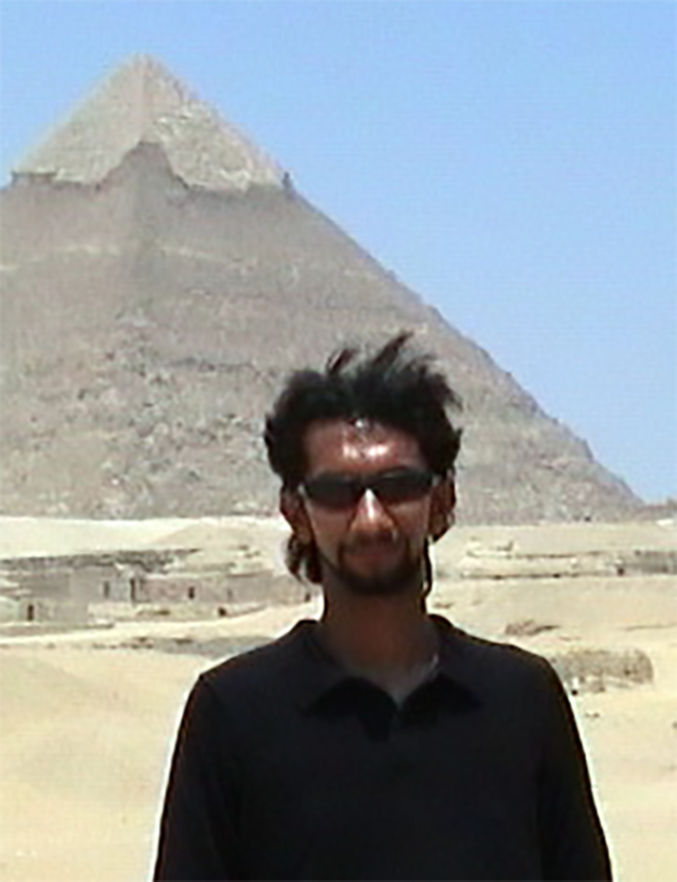
Now, I’ll do the same using the “Preserve Details (enlargement)” option with a 50% noise reduction.
Here are the results. It’s less grainy, but still not sharp at all.
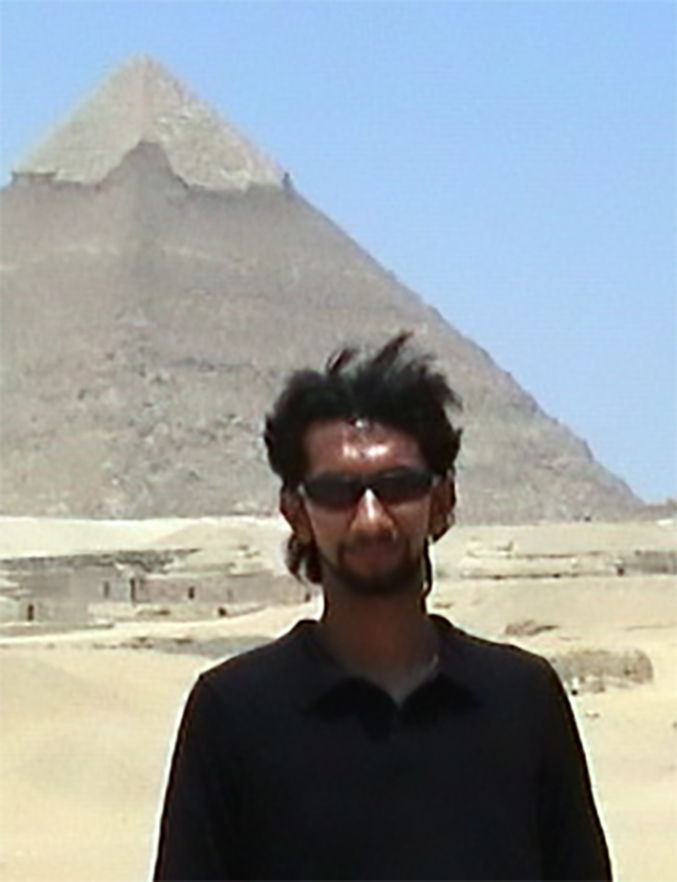
I’ll try one more time. Below are the results with 100% noise reduction. Still not great.
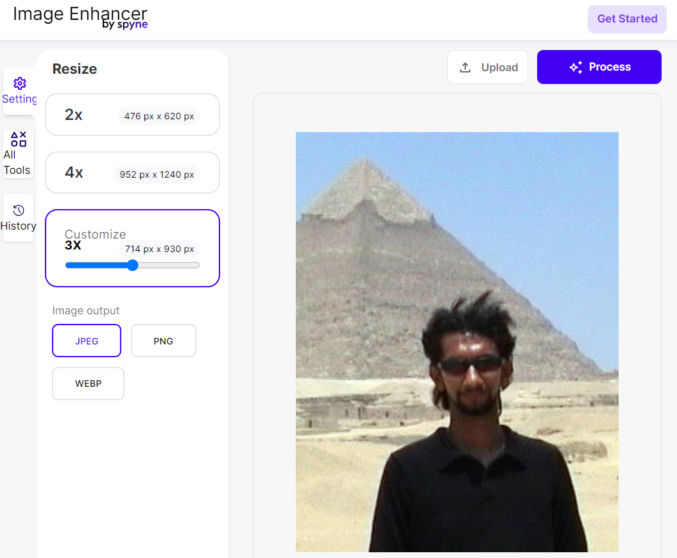
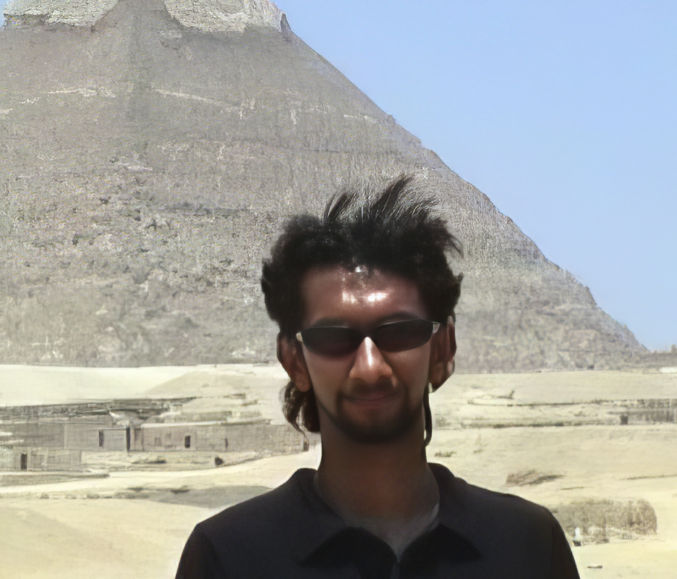
Here are the results. This is definitely an improvement compared to Photoshop.
Topaz Labs Photo AI
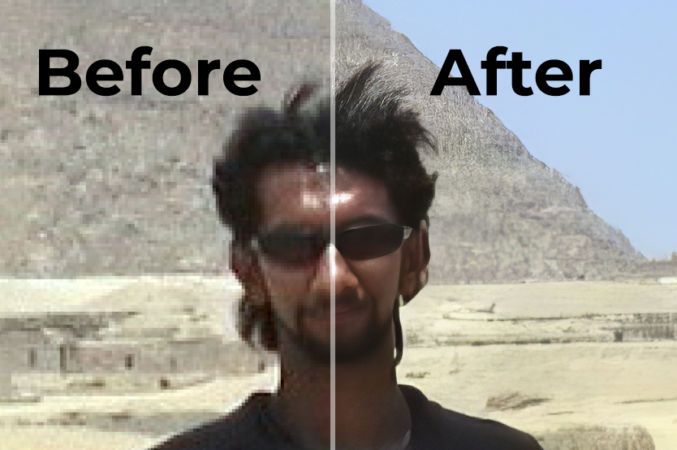
Now I’ll try Topaz Labs Photo AI 2.4.0. This software costs $200, so I’ve just taken a screenshot of the preview. As you can see, the results are way better than both Photoshop and Spyne. There is no noise and everything is sharp, including the hair. If the face looks a bit too soft, you can sharpen it in Photoshop under Filter > Sharpen.
So there you have it. Successfully upscaling an image using AI with realistic results.
The ancient Greeks called the language deployed in such debates rhetoric – a word derived from rhetor, meaning “public speaker.” For Aristotle, persuasive speech has three modes: ethos, pathos, and logos.
Ethos (Character / Credibility)
Ethos is the Greek word for “character”. In this context, it concerns the credibility of the person. For example, we’re more inclined to accept what a practicing doctor has to say about vaccinations, for example, than an anonymous blog author.
Pathos (Emotion)
Pathos is the Greek word for “emotion”. In this context, it concerns an attempt to sway an audience by appealing to powerful emotions such as love and fear. For example, if a doctor’s credentials haven’t persuaded their reluctant patient, they doctor may tell a story about a couple in perfect health who refused to get vaccinated but died within 15 days of each other leaving behind four young children. The patient would feel emotionally in fear and be more inclined to trust the doctor.
Logos (Facts, Figures, Data, Statistics)
Logos is the Greek word for “reasoning”. This form of persuasion deals in facts and figures. For example, if a doctor points out that multiple peer-reviewed studies show that COVID vaccines result in a 90% decrease in the risk of hospitalization and death, they’re appealing to logos.
Arguing using just logos (facts and figures) is insufficient because people are stubborn, reactive, overconfident, afraid of change, and, more importantly, emotionally invested in beliefs, ideas, and ideals. People’s feelings don’t care about the facts. Therefore, to win an argument, you need also appeal to feelings, not just state the facts.
Tell Stories to Appeal to Feelings (Pathos)
According to 2007 study, people are much more likely to give money to charity if they’re told stories about an “identifiable victim” than they are if they’re presented with accounts of “statistical victims.” For example, a story of the suffering of a single child with a name and a face is more effective than a description of millions of nameless and faceless people suffering in the same way. For example, telling a story about the awful hunger cramps that one child suffers every day is more effective than abstract statements like “820 million people around the world go hungry every day”.
To win arguments, tell gripping and relatable stories.
Cite Credibility, as Necessary (Ethos)
When debating, your aim is to go after the argument, not the person making it. If you go after the person, that’s ad hominem. In theory, the merits of the person speaking have nothing to do with the soundness of what they’re saying, but in reality, merits matter. When facts and figures (logos) are insufficiently convincing, then cite the person’s character and reputation (ethos).
Conflicts of Interest
Imagine a major study is published that claims to show that climate change isn’t nearly as bad as we thought. The caveat: it was entirely funded by fossil fuel companies. If the authors of the study were paid by companies with a less than purely academic interest in the topic, then there’s a conflict of interest. Therefore, dismissing the study on the credibility of the authors is a logical and reasonable thing to do.
Hypocrisy
If an outspoken anti-abortion lawmaker privately supports women having abortions, then they are hypocrites. In theory, the hypocrisy of the person speaking has nothing to do with the soundness of what they’re saying, but in reality, hypocrisy matters.
To win arguments, consider citing the credibility of the speaker.
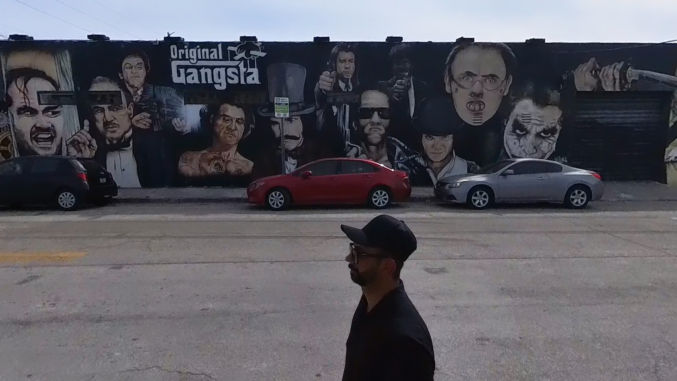
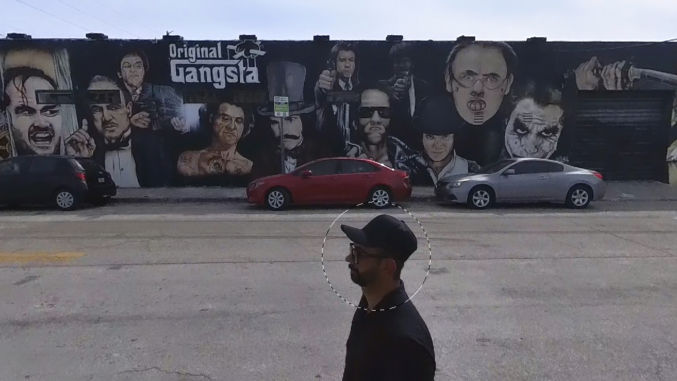
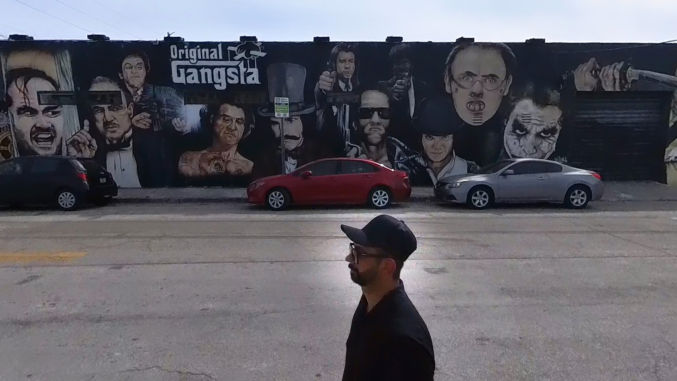
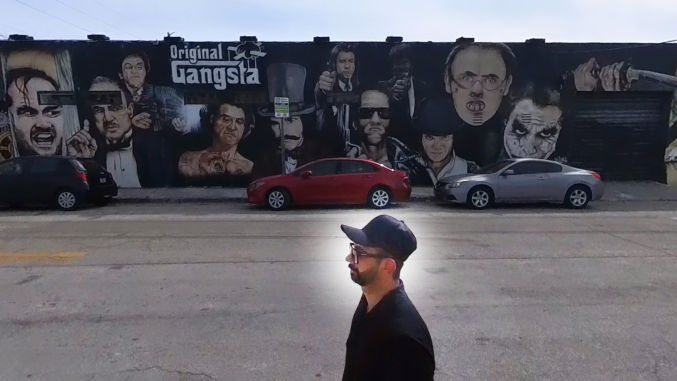
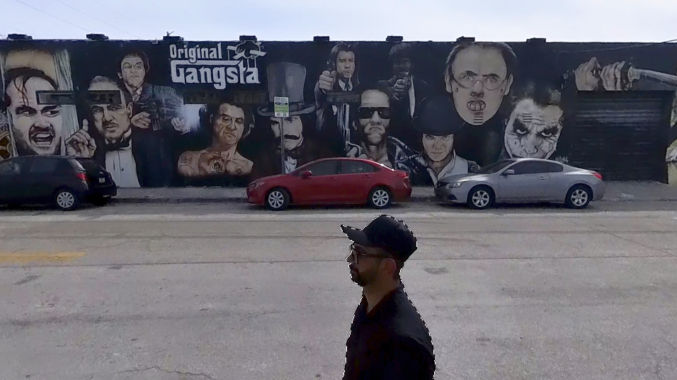
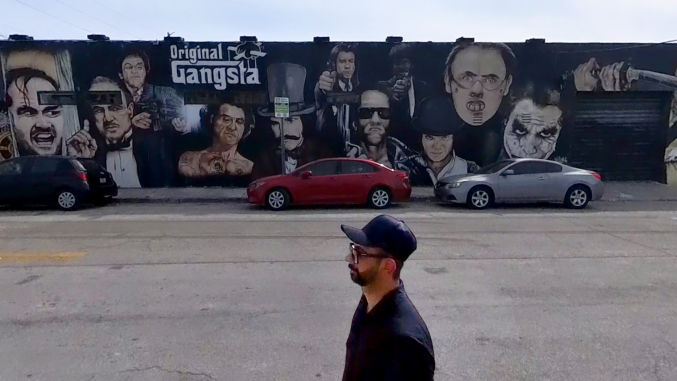
Chances are you’ve taken photos where the faces are too dark. This can be due to a low-quality camera and/or incorrect camera settings. Fortunately, there is a way to easily fix this using Photoshop. As an example, I’ll use this photo of me in the Wynwood district of Miami (below). Notice how my face lacks detail because it’s underexposed (too dark).
Levels
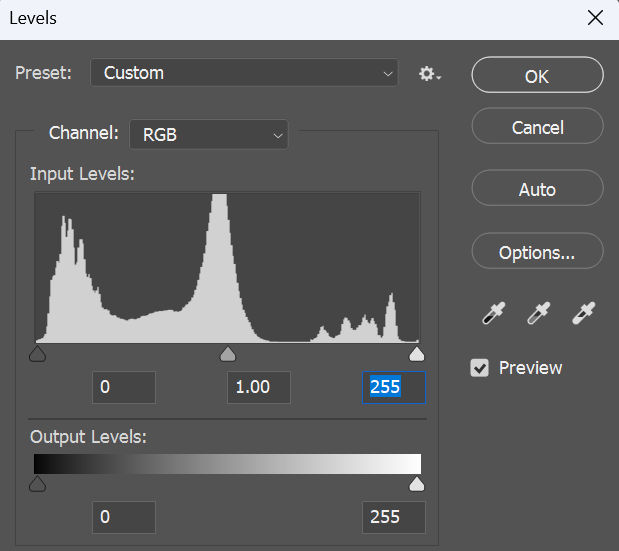
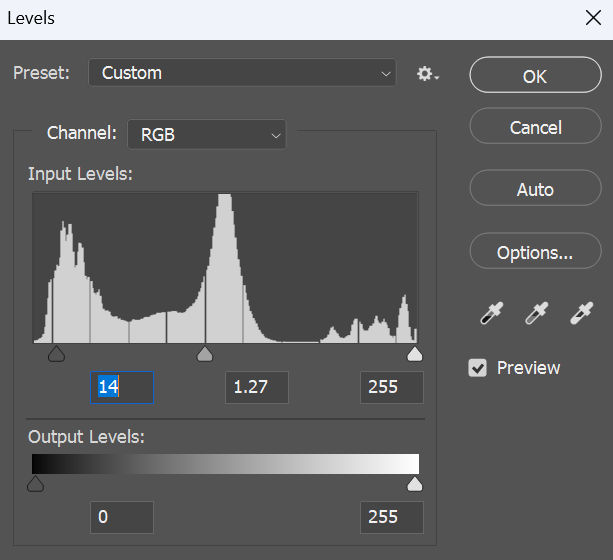
First, I like to check and adjust the levels for the image. Go to Image > Adjustments > Levels. You’ll see a histogram like this
In the input levels, there are 3 markers from left to right
black marker (left) = shadows
gray marker (middle) = midtones
white marker (right) = highlights
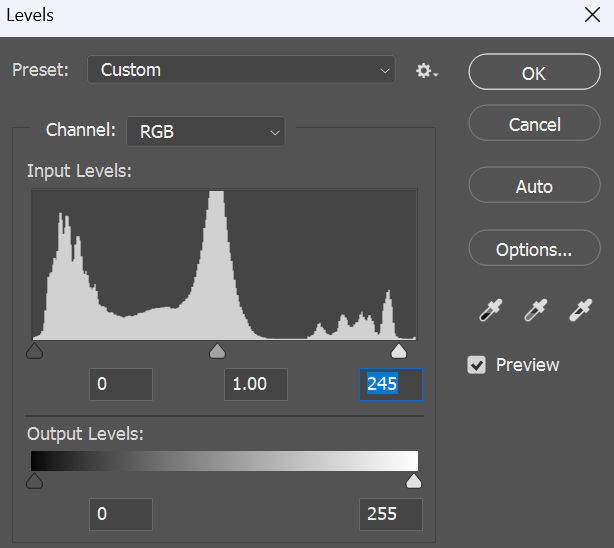
The left and right markers should touch the left and right edges of the histogram. In this case, there is a small gap between the right marker and the right edge of the histogram, meaning the image is a little underexposed. If we move the right marker to the right edge of the histogram, the image will become a little brighter.
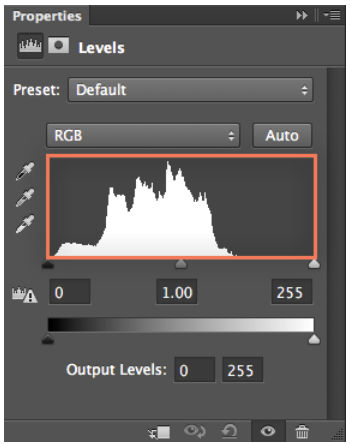
In this particular example, this adjustment isn’t significant. But, if there’s a big gap in the histogram like this
then adjusting the levels will make a big improvement to your image.
Exposure
If adjusting the levels doesn’t brighten your subject’s face enough, you can adjust the exposure of just the face. First, make a circular selection around a face.
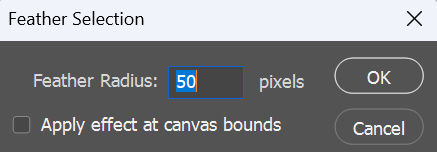
Then, add a feather to it. Select > Modify > Feather. For a 1920 x 1080 image, I create a 50-pixel feather.
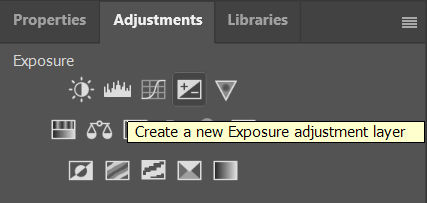
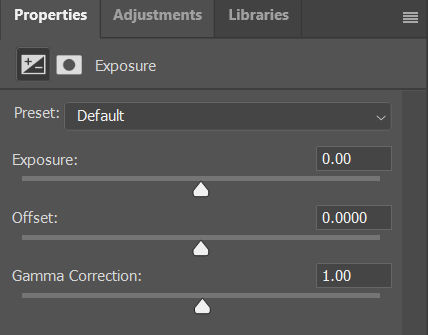
Then, adjust the exposure by going to Adjustments > Exposure
You will see a slider for Exposure. Drag it to the right to increase the exposure.
Notice how the face is brighter.
If I increase the exposure too much, the face will look nice and bright, but it won’t look natural against the darker surroundings.
The problem is there appears to be a white glow around the face. In this case, I can select just the subject or the subject’s face to limit the exposure adjustment area. In this case, no feather is needed.
Now, only the subject is brightened.
I can also tweak the levels by adjusting the shadows and the midtones so that the subject doesn’t look unnaturally bright against a darker background.
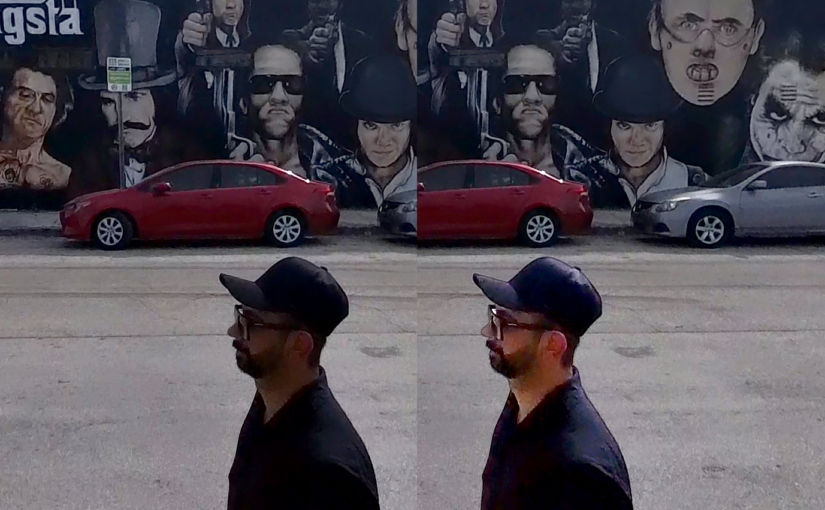
Before and After
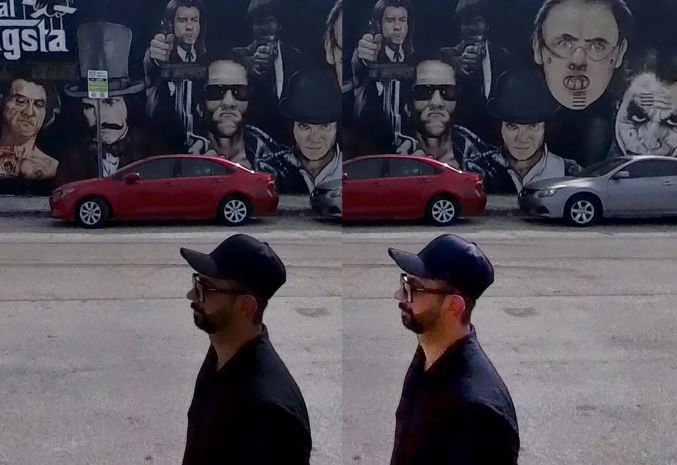
As you can see in the before and after image below, my face looks much brighter while still appearing natural.
Many people wonder why their website doesn’t rank high for a particular keyword. Let’s take cybersecurity as an example because I am familiar with that space. A cybersecurity company usually has products and events, and a need to market them. One type of product is a tool to manage vulnerabilities. The industry refers to the topic as “vulnerability management” or “VM”. Marketers would then often ask, “why isn’t my VM product page showing up at the top of Google when people search for “vulnerability management”. Likewise, if the company has an annual user conference with session talks about cybersecurity, marketers will again often ask why their conference website doesn’t show up for the keyword “cybersecurity”. The main reason lies in search intent.
Search Intent
When people search for “vulnerability management” or “cybersecurity”, they are most likely not searching for a VM product or a cybersecurity conference. These generic terms likely indicate that they are searching for information about them rather than a tool or a conference. Consequently, search results for those terms show informational pages containing content explaining what they are as if a user searched for “what is vulnerability management” or “what is cybersecurity”.
There are 4 types of search intent:
Navigationalintent: Users want to find a specific page (e.g., “reddit login”)
Informationalintent: Users want to learn more about something (e.g., “what is seo”)
Commercialintent: Users want to do research before making a purchase decision (e.g., “best coffee maker”)
Transactionalintent: Users want to complete a specific action, usually a purchase (e.g., “buy subaru forester”)
Therefore, for the VM tool and cybersecurity conference examples above, the correct search terms to check would be something like
(best) vulnerability management tool
cybersecurity conference
The qualifiers “tool” and “conference” make it clear what people’s search intent is so they find content relevant to what they are actually looking for. But how do you know what keywords people are searching for? This is where keyword research tools come in.
Keyword Research
To do keyword research, you can use a free tool like Google Keyword Planner or a paid tool like Semrush. I’ll use Google Keyword Planner. You can use it to
discover new keywords and
get keyword search volume and forecasts.
Continuing with our example, let’s see how many people search for the following keywords:
vulnerability management
vulnerability management tool
cybersecurity
cybersecurity conference
I enter those keywords as shown below…
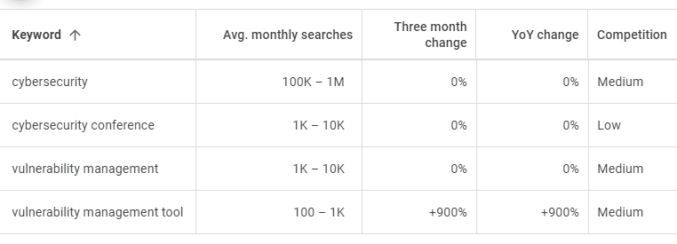
and Google spits out the following data
The keyword “vulnerability management” gets many more searches per month compared to “vulnerability management tool”. But, since people searching for “vulnerability management” are probably not looking for a tool or software, people will likely ignore your VM product page even if it does show up in the #1 spot. The keyword “vulnerability management tool” gets fewer searches, but ranking for it will at least match your product page with a targeted group of interested people. Therefore, you’ll want to optimize your page for the keyword “vulnerability management tool”, e.g. by adding the word “tool” to your page copy, and monitor your Google page rank for that keyword.
As for the conference example, though the keyword “cybersecurity” gets a huge number of searches per month, it’s such a generic term that most people are probably not looking for a cybersecurity conference when they search for “cybersecurity”. On the contrary, the keyword “cybersecurity conference” is more specific / targeted and gets a decent search volume. Therefore, that is the term you should optimize for and monitor your page rank for.
In addition to the keywords you may already know about, you can using Google Keyword Planner to discover other relevant keywords. For example, if I enter “vulnerability management tool”…
I get the following results.
It looks like some companies like “Qualys” and “Rapid7” are known for having vulnerability management tools, so people looking specifically for their respective product pages just use the company name as a qualifier. However, there are some non-brand keywords that get a decent amount of searches as well, including “vulnerability management program” and “vulnerability management process”. While these keywords can be included in a VM product page, they may deserve to have their own pages.
How Long to Rank High
Now that you know what keywords to target, another misunderstanding people have is that adding keywords to a page will result in a higher page rank in just a matter of weeks. First of all, keywords are just one of many factors that affect page rank. SEO is a long-term strategy. Unless you’re looking to rank high for a long-tail keyword – a keyword so specific that there is very little competition – don’t expect immediate results.
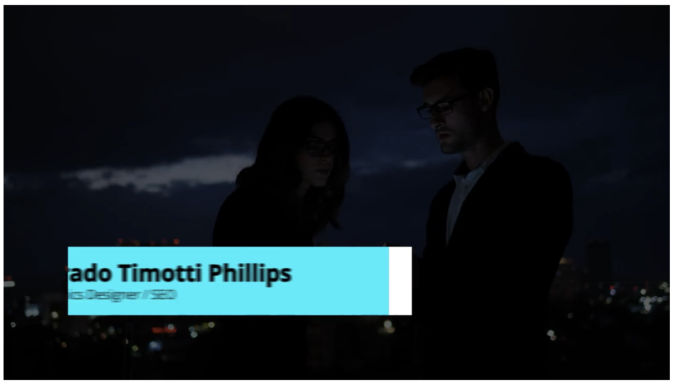
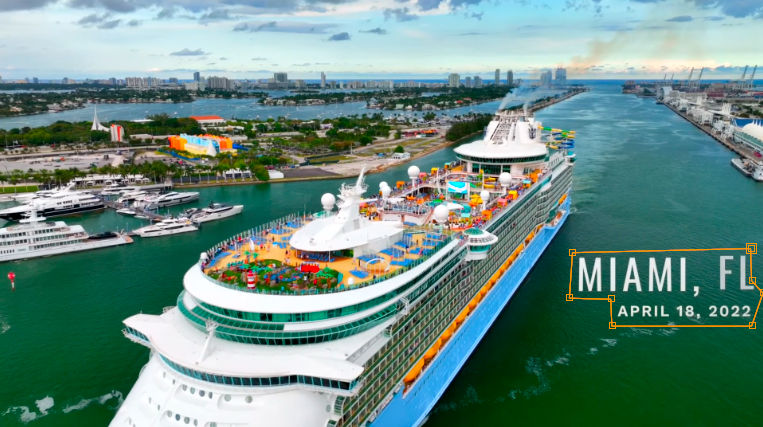
A lower third is a text title or graphic overlay placed in the lower region of the screen. Motion Graphics templates are a file type (.mogrt) that can be created in After Effects or Premiere Pro. Here’s an example of a motion graphic lower third.
There are many motion graphic templates for lower thirds available online, e.g.
In this tutorial, I just get a free one from Mixkit.
Download MOGRT template
Download this free template and unzip it. You’ll get an mogrt file and an mp4 file showing how the animated title looks.
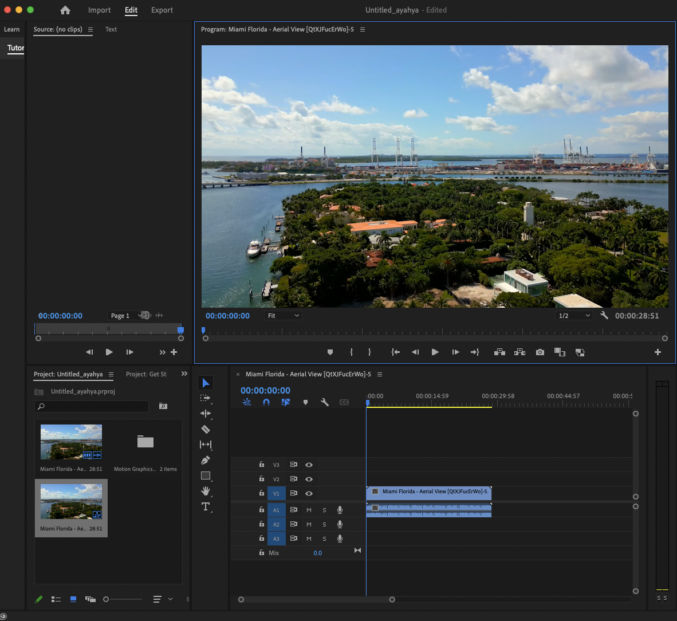
Add a video to your timeline in Premier Pro
Drag a video to the timeline pane.
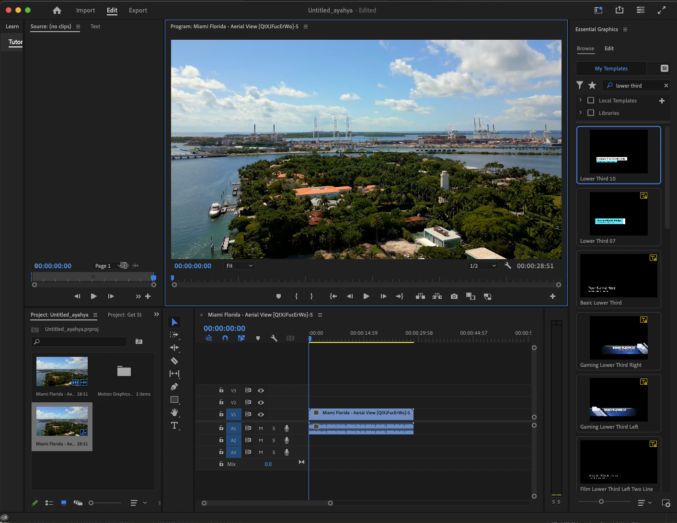
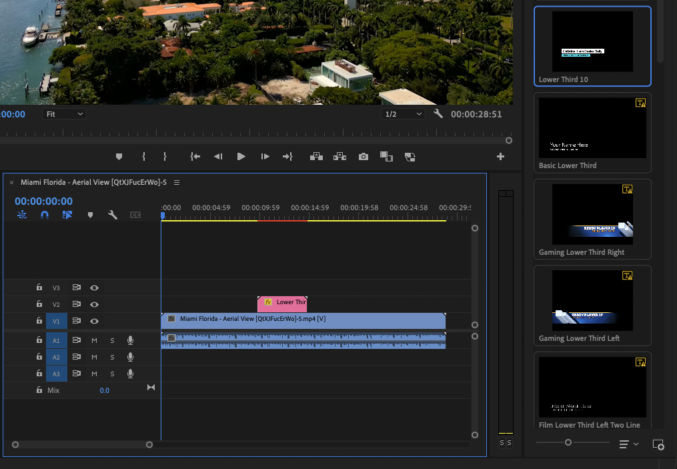
Open the Essential Graphics pane
Click on Window > Essential Graphics. You’ll see the Essential Graphics pane on the right.
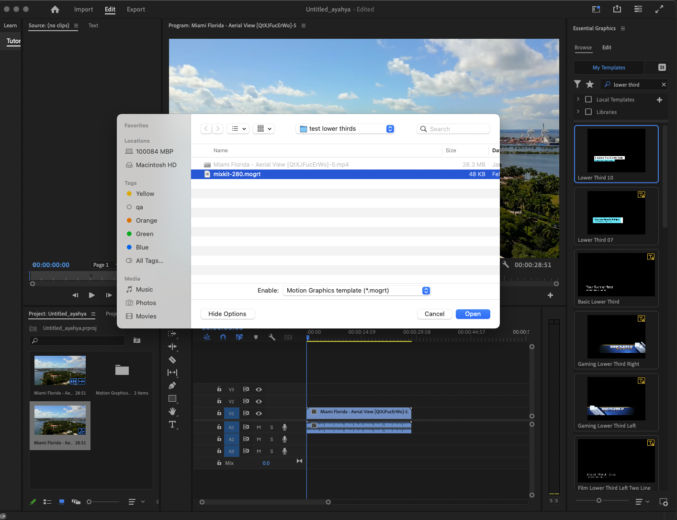
Install the mogrt file
In the Essential Graphics pane, click the “Install Motion Graphics template” button in the bottom right corner. Browse to the mogrt file and click Open. The template will appear at the top of the list of templates in the Essential Graphics pane.
Drag the template to the timeline
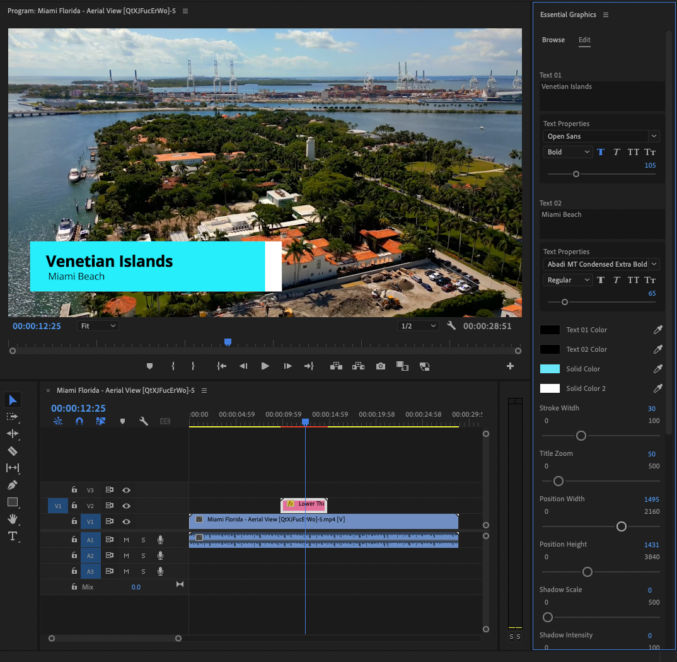
I dragged it to the V2 track.
Edit the template
Double-click the motion graphics clip in the timeline (pink bar) to edit the template. Depending on the template, you can edit the text, colors, size, positioning, etc.
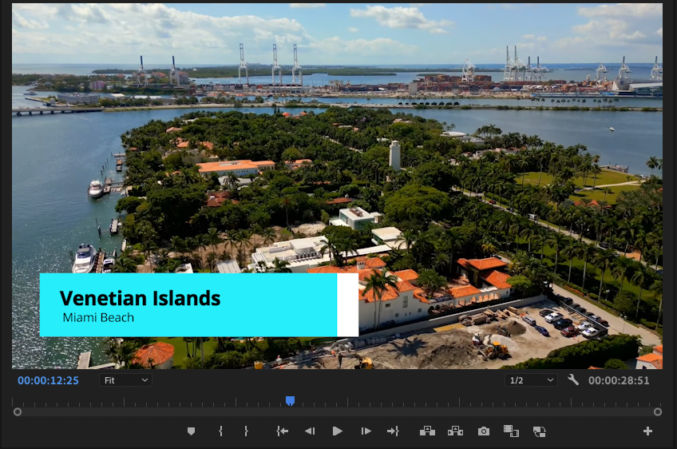
Preview the lower thirds title
Click the play to preview the lower thirds animated title. You may find the duration to be too short.
Extend the duration of the lower thirds title
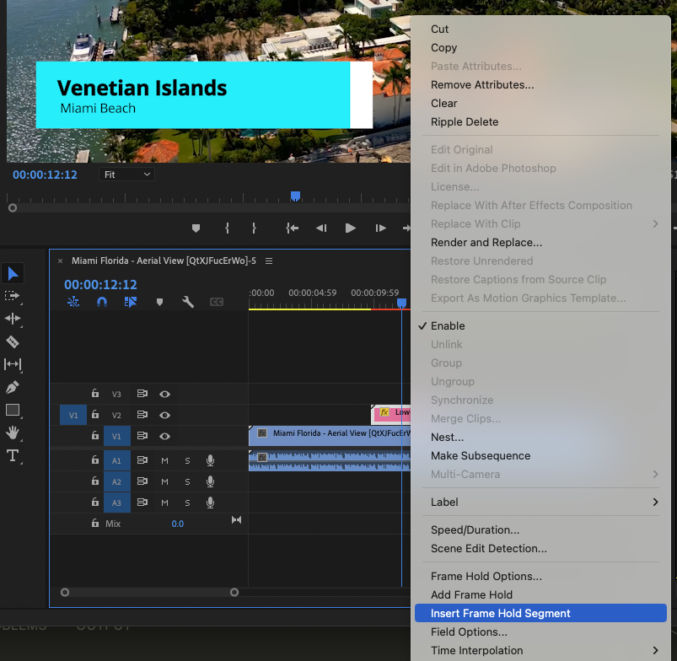
Move the playhead in the timeline to the point where the title text is fully shown and not moving. At that point, right-click on the motion graphic clip in the video track (pink bar) and click on “Insert Frame Hold Segment”.
This will split all clips at that timestamp and the motion graphic clip will be split such that you can extend the middle subclip, which is the clip containing the frame showing the full title text, to increase the duration of the title. You will need to move the right subclip of the animated title to the right to make room to extend the duration of the middle subclip.
For the split video clip, just drag the right clips toward the left clip.
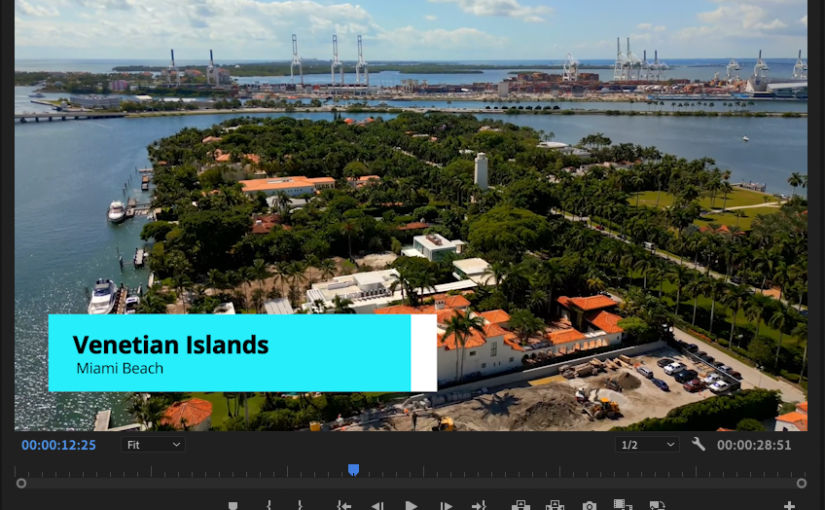
You may end up with something like this.
Preview the animated lower thirds title. If it looks good, export the video. Otherwise, tweak the title further.
The video below is the same video but with the text removed.
Same video with text / watermark removed
We can remove objects like text and watermarks from videos using Adobe After Effects (AE) content-aware fill feature. Here’s how I did it for the video above.
1. Open your video in Adobe After Effects
Choose “New Composition From Footage” and select your video.
2. Shorten work area
The content-aware fill takes a long time to process. To speed up testing, shorten the work area to a 2-second section by dragging the blue start and end markers on the timeline.
3. Create a mask
Click a tool like the pen tool and create a mask area around the object (in this case, text) you want to remove.
4. Adjust mask settings
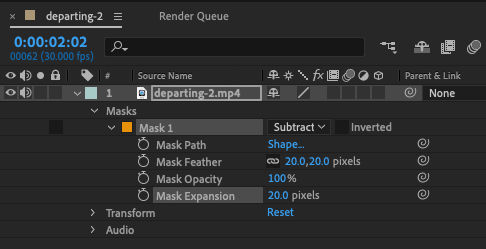
In the video track, expand the Masks and select “Subtract”. For the Mask Feature, choose 20 pixels for the vertical and horizontal feather. For the Mask Expansion, choose 20 pixels as well. Play with these settings until you find values that produce good results.
These changes cause the mask to look like this
5. Adjust content-aware fill settings
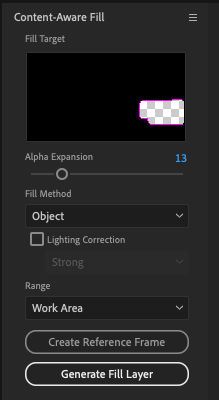
If the content-aware fill pane isn’t open, open it by going to Window > Content-Aware Fill.
For the alpha expansion, I set the value to 13. You can experiment with different values.
For the fill method, choose “Object”.
For the range, choose “Work Area” because we only want to apply the fill to the short 2-second work area for now.
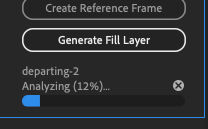
Click the “Generate Fill Layer” button. You will be asked to save the project if you haven’t already done so. You will then see AE analyze and generate the fill layer.
You will see the fill layer above the video layer in the list of tracks / layers.
6. Preview the content-aware fill layer
Click the play button in the preview pane to preview the content-aware fill.
This is how it looks for me. I think that looks good. If it doesn’t look good, go back and tweak some of the previous settings and try again.
7. Apply content-aware fill to the entire range containing the text to remove
Move the blue start and end work area markers to the beginning and end where the object / text you want to remove.
Disable the test content-aware fill layer by toggling the eye icon.
In the content-aware fill pane, click “Generate Fill Layer”. AE will create a new content-aware fill layer above our test layer. If the work area duration is long, this will take time to process.
Content-are fill will go through an analyzing phase followed by a rendering phase.
8. Preview complete content-aware fill effect
Click the play button in the preview pane again to see how the fill effect looks in the entire clip. If it looks good, you can export the video.
9. Export the video
Click File > Export > Add to Render Queue.
If the output location is unspecified, choose an Output To location. Then click the Render button.
Update: Use a reference frame for better results. The more reference frames, the better the results.
In this post, I’ll show you how to make an animated travel map like the one below using Apple Keynote.
1. Get an image of a map
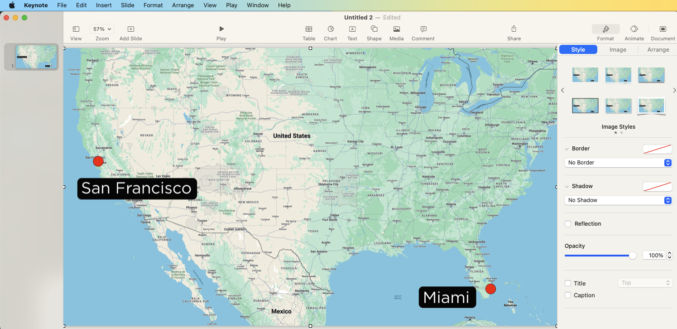
I usually just go to Google Maps, zoom in/out to the area I want to show, then take a screenshot. In this example, I took a screenshot of the USA because I want to show an animated flight path from San Francisco to Miami.
2. Crop map and optionally add labels
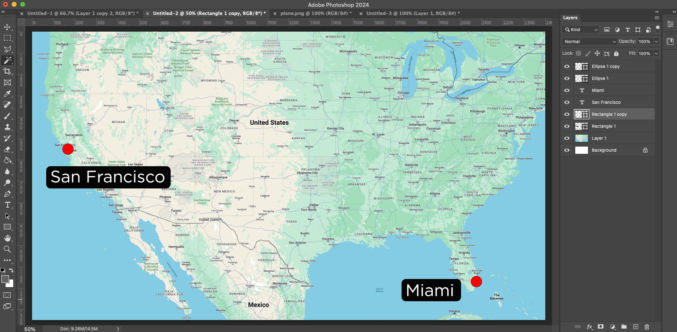
Open the screenshot in an image editor (I use Photoshop) and crop to your target video resolution. My target resolution is 1920 x 1080 (standard HD). I also added some red dots where the start and end points will be as well as some city labels.
3. Get a transparent image of a plane, car, train, boat, etc
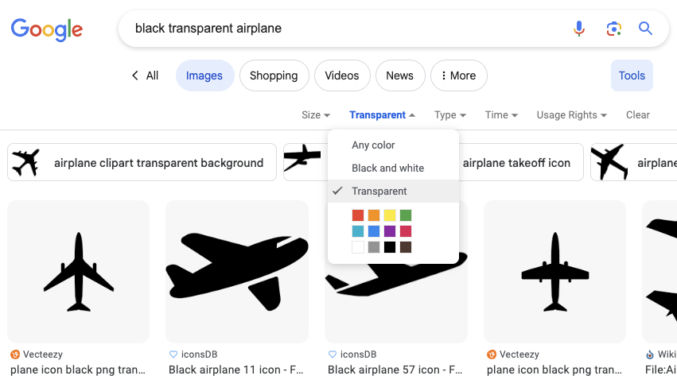
Since I want to show an airplane animate along a path, I looked for an image of one in Google Images. The background should be transparent. In Google Images, you can choose Tools > Color > Transparent to find images on a transparent background.
I chose this image.
4. Create a blank Keynote presentation
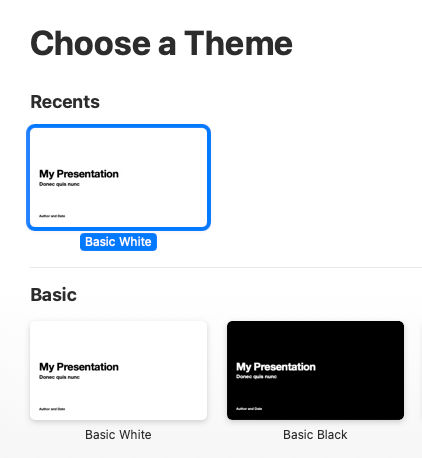
Open Apple Keynote and choose the basic white theme.
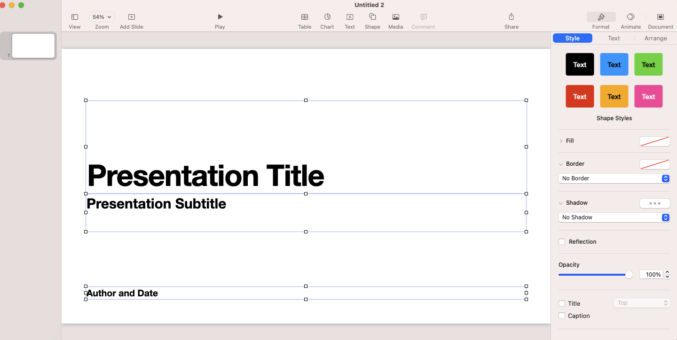
You will get a single slide. Select and delete everything in the slide.
5. Insert background map
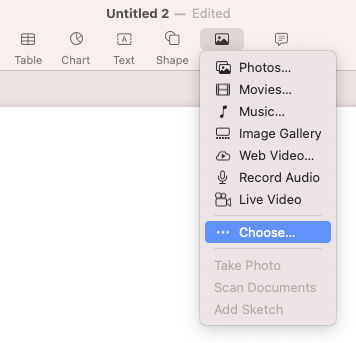
Go to Media > Choose and select the background map.
6. Draw a path
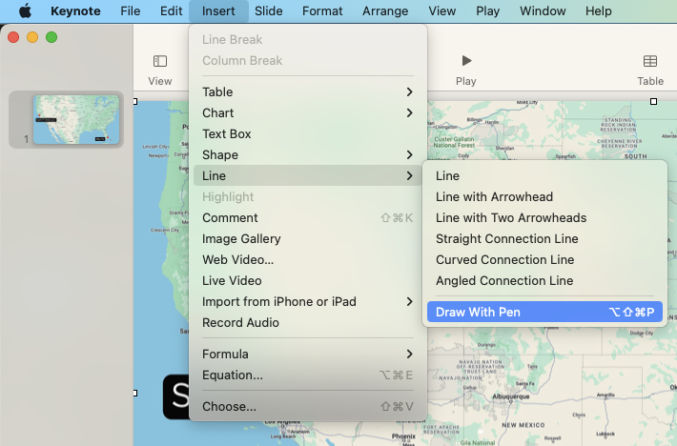
Go to Insert > Line > Draw With Pen and draw your travel path.
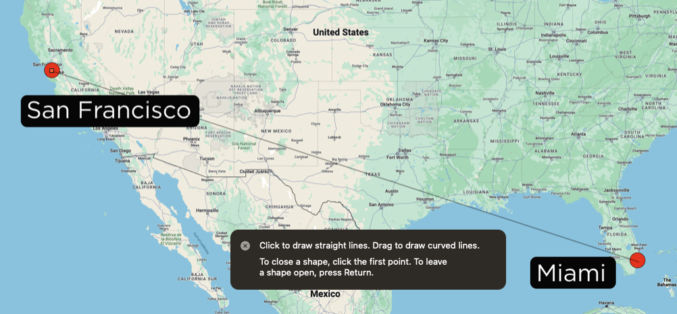
Click on the start point then click on the end point. You will get a straight line.
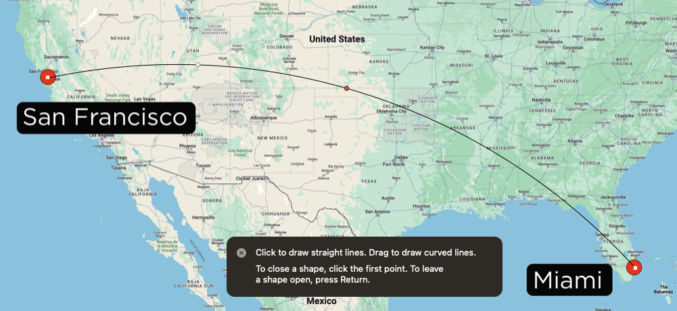
In the middle of the line, there will be a point. Click and drag it up if you want to create a curve. Repeat with other midpoints as necessary.
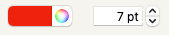
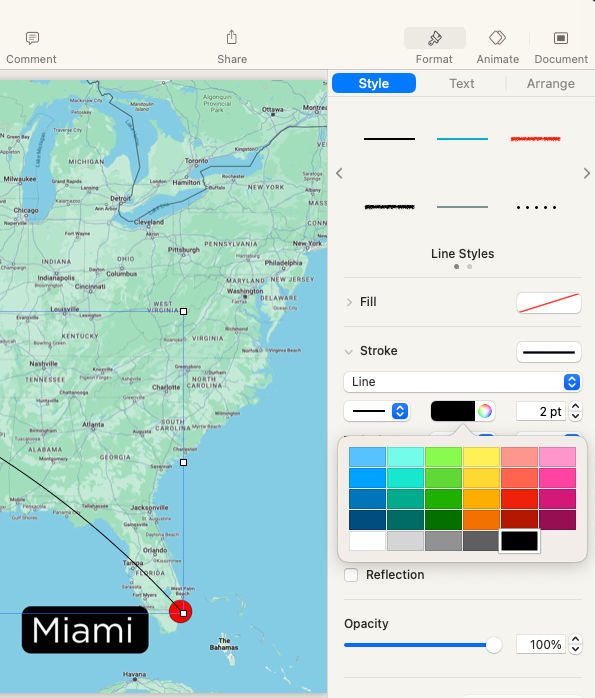
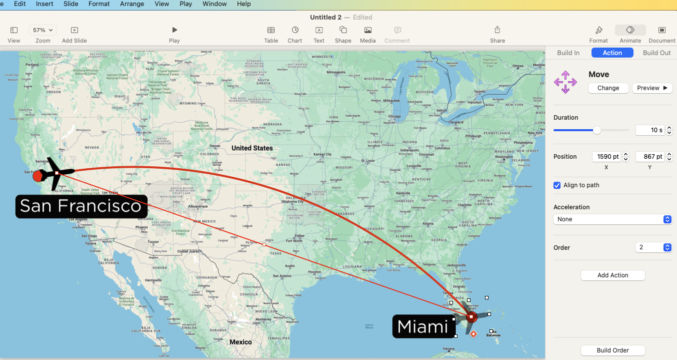
When you’re done, hit the ESC key. We now have our travel path. Let’s change the style of the path. I’m going to make it red and thick. In the right pane, under Format > Style, you can edit the style of the element (curve). I choose a red color that is 7 pt thick.
7. Animate the path
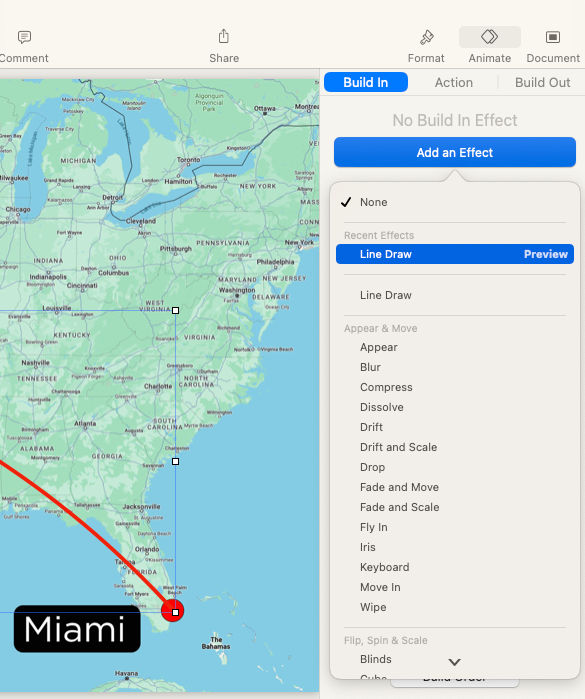
In the top right corner, choose the Animate tab and then “Add an Effect” > “Line Draw”.
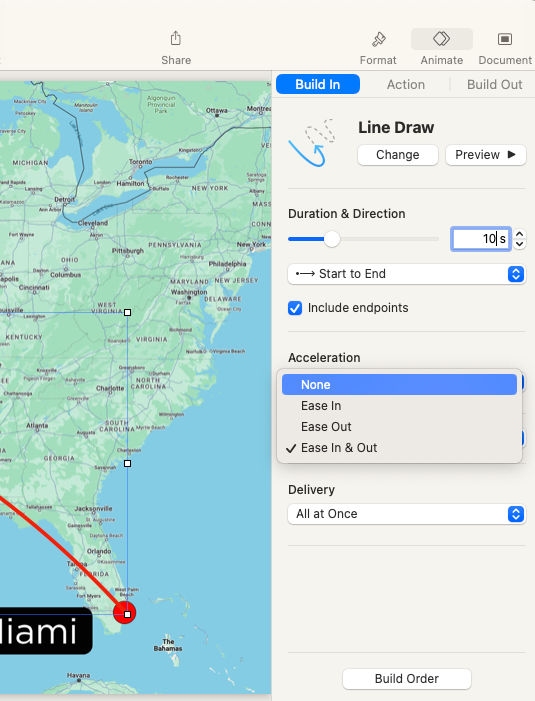
You can then change the default animation from 2 seconds. I changed the duration to 10 seconds so that in my video editor, I can slow it down without it appearing jumpy. I also changed the acceleration to “None”.
Click the “Preview” button to preview the path animation.
8. Add the airplane image
As in step 5, go to Media > Choose and select the airplane image.
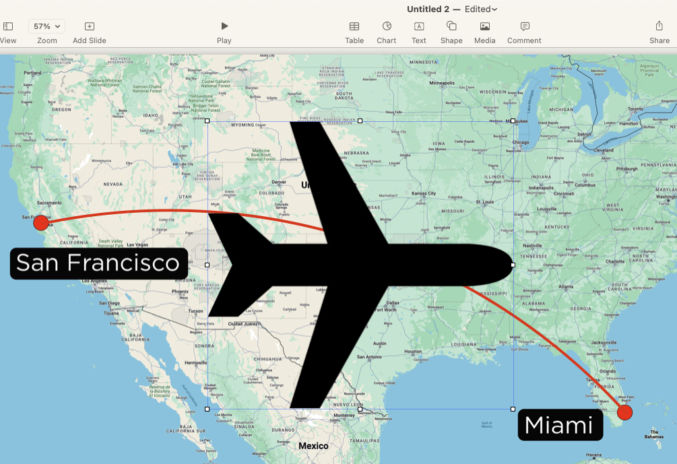
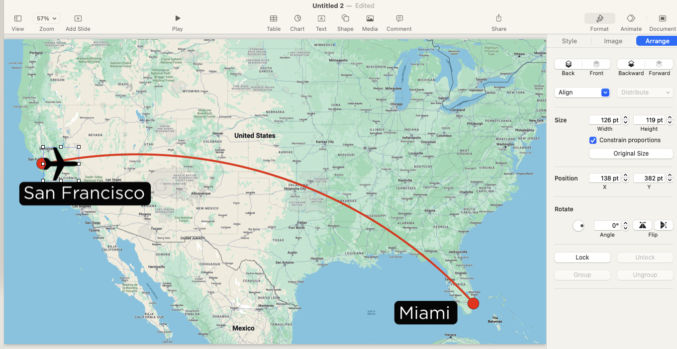
Scale the airplane by dragging one of the corners. Drag the airplane to position it at the start point.
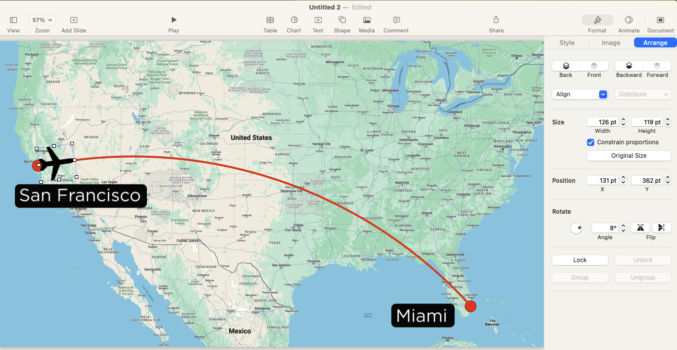
Rotate the airplane. In the top right choose Format > Arrange and adjust the rotation value such that the nose of the plane is aligned with the flight path.
9. Animate the airplane
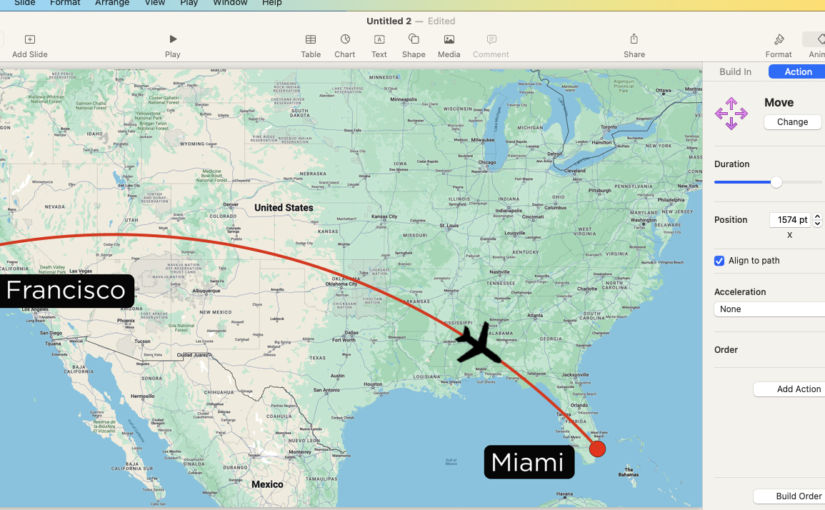
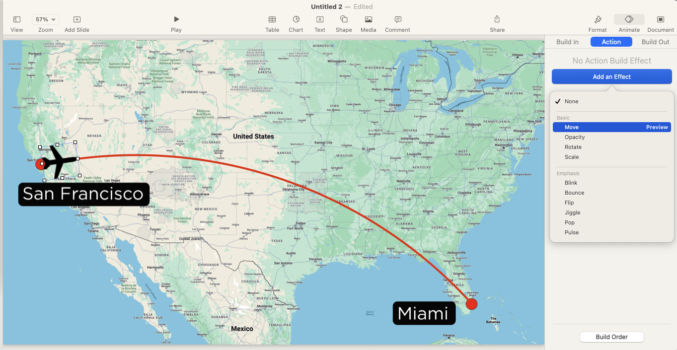
In the top right, click Animate > Action > Add an Effect > Move.
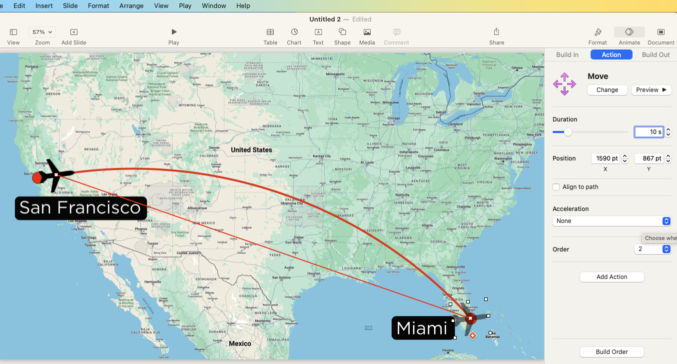
Drag the airplane to the end point. Set the duration and acceleration to match that of the flight path (10 sec, None).
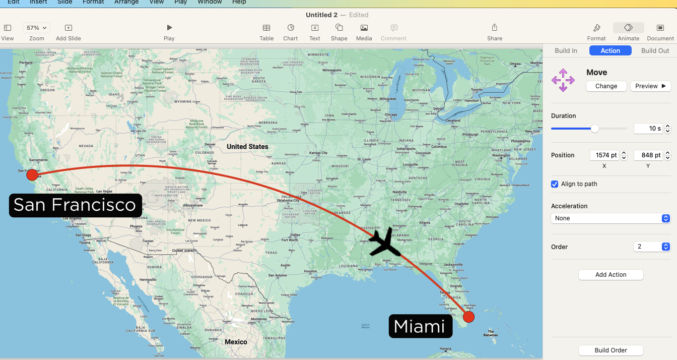
Click Preview to preview the animation. The airplane doesn’t yet follow the flight path. Check the “Align to path” checkbox. A point will appear along the line between the airplane’s start and end points. Drag that middle point to where the flight path is.
Click Preview again. You will see the airplane animate along the flight path.
10. Animate the flight path and airplane at the same time
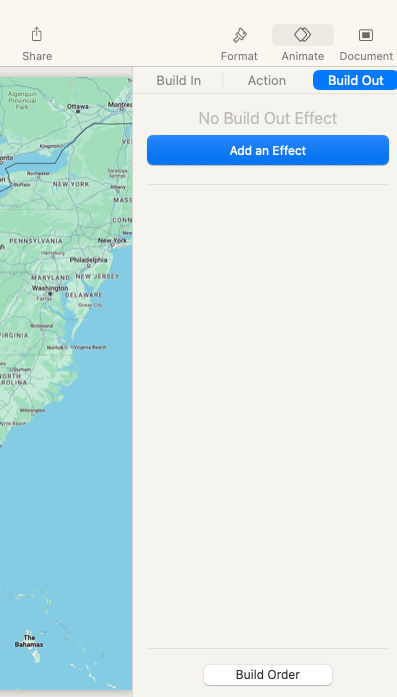
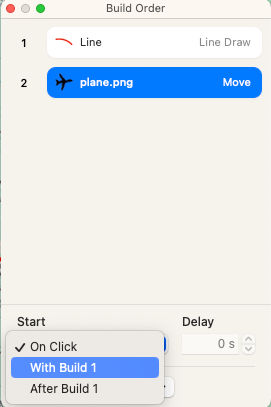
In the top right, click Animate > Build Out > Build Order.
You will see a list of all animation effects. The first animation is the line (flight path). The second is the plane. Choose te second animation and then under “Start”, select “With Build 1”.
11. Export the animation
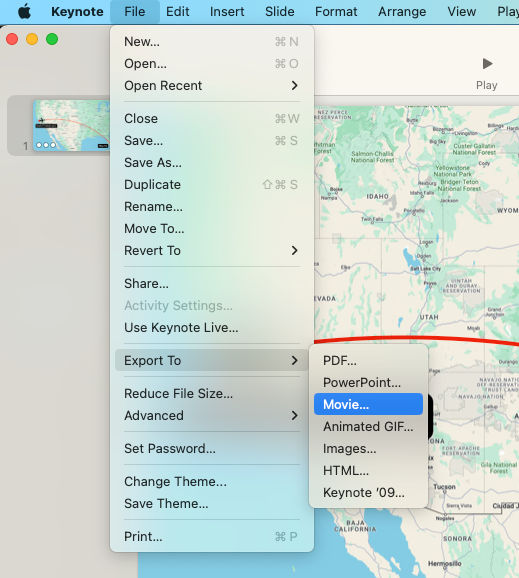
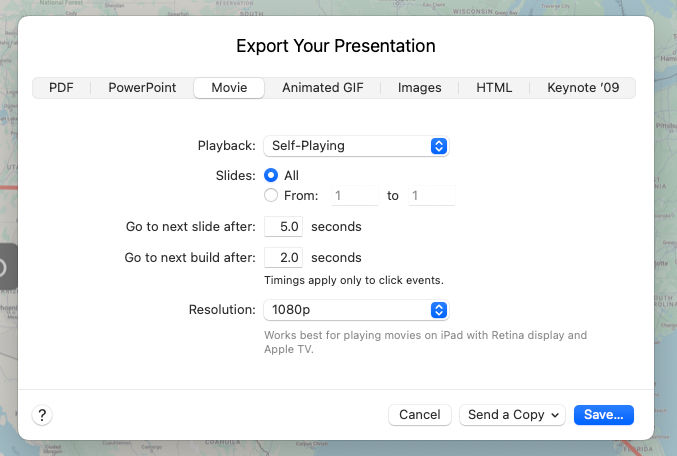
Choose File > Export To > Movie.
Since there’s only 1 slide, you can leave “Slides” to “All. The resolution should match that of the background image (1080p).